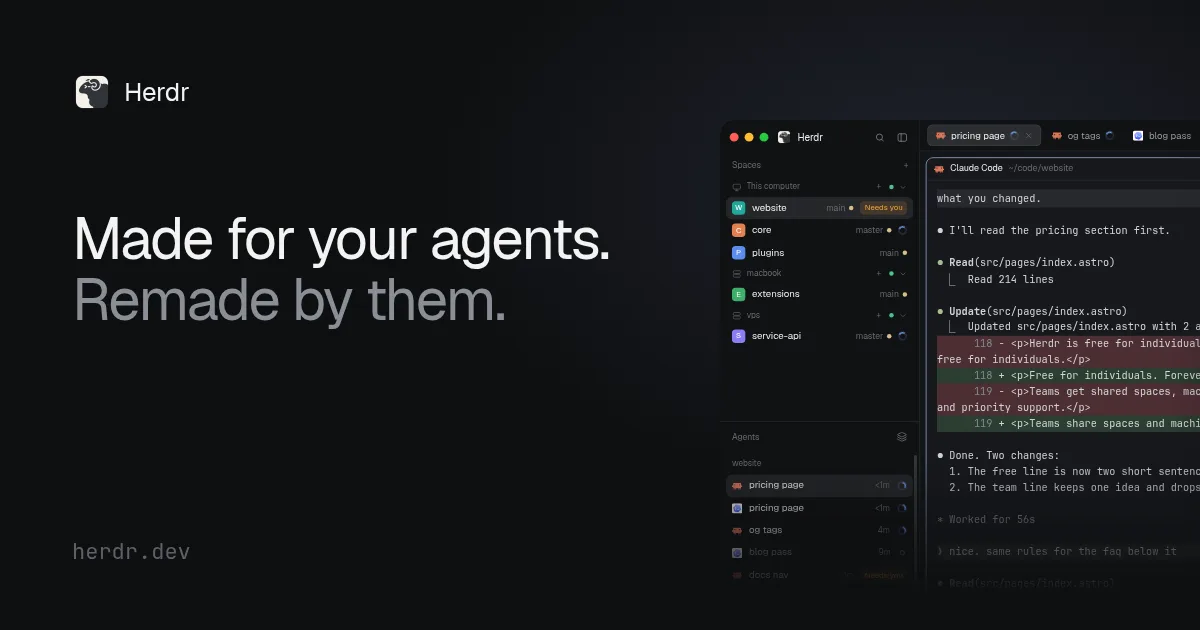
A Herdr egy natív alkalmazás kódoló AI-ügynökök futtatására, amely a felületet modulárisan kezeli, így maga a használt ügynök is átalakíthatja az ablak bármely részét. Az ügynökök nem közvetlenül a grafikus felületen, hanem a herdr-core nevű helyi háttérszolgáltatásként futnak. Ennek köszönhetően az app bezárása vagy frissítése után is zavartalanul halad a munka.
Az ügynökök egymásnak is adhatnak munkát: a Claude Code például elindíthat egy Codex-ellenőrt, és annak jelentése magától visszaér az indító ügynökhöz, így semmit nem kell ablakok között másolgatni. Menet közben a segéd új utasítást is kaphat.
Az eszköz támogatja az SSH-kapcsolatokat is, így a feladatok távoli szervereken vagy felhős homokozókban is futtathatók. Az alkalmazás a nyílt OSC 7501-es protokollt használja az állapotok jelzésére, így a felületen azonnal látható, ha egy ügynök épp dolgozik, végzett, vagy visszajelzésre vár.
A Herdr teljesen nyílt forráskódú, Apache 2.0 licenc alatt érhető el macOS (Apple processzoros gépeken), Linux és Windows rendszerekre. A felület beállításai és témái egyszerű fájlokként tárolódnak, amelyeket a kódoló ügynökök akár önállóan is módosítani tudnak.
Ha a gép újraindul vagy a herdr-core leáll, az ügynökök is leállnak: a panelek visszajönnek, de a Herdr nem indítja újra magától a félbehagyott munkát.
Az eredeti szöveg (Herdr)
Each agent tells Herdr whether it's working, done or waiting on you. The sidebar and the tab show which one needs you, so you can stop checking the rest.
Use a space for each repo and a tab for each task.
Your agents run in herdr-core, a small server on your machine, not in the window. Quit the app, update it or let it crash, and every terminal is still where you left it.
Add any machine you can reach over SSH, like a server, a VM or a cloud sandbox. Its spaces and agents show up in the same sidebar under its name, and you start agents there the same way.
Its agents keep running there while your laptop sleeps or the app is closed.
Herdr keeps its layout, sidebar, tabs, keys and themes as plain files in ~/.config/herdr-app. An AGENTS.md in there explains them to your agent. You say what you want and your agent writes it.
Herdr runs real terminals, so your agents work the way they do now. Agents that support OSC 7501, an open status protocol, also show whether they're working, done or need you. Your own script can do it with one line.
The app, herdr-core and Herdr TUI are open source under Apache 2.0. You can read the code, change it, or build your own app on top of herdr-core.
herdrdev/herdr-app → herdrdev/herdr-core → herdrdev/herdr →
A native app for running coding agents. They run in herdr-core, so they keep going when you close the window, and your agent can change any part of the app.
Herdr TUI is the original Herdr: a terminal app with its own server. This is a new, separate program built on herdr-core. They don't share agents, so what runs in one doesn't show up in the other. Herdr TUI keeps working, and everything for it is at herdr.dev/tui.
Anything that runs in a terminal. Agents that speak OSC 7501, an open protocol for reporting status, also show whether they're working, done or need you. An agent that doesn't speak it still runs, just without a status.
The list shows agents that report their status through OSC 7501, so check these:
Quitting or updating the app changes nothing: every agent keeps running in herdr-core. If the machine reboots or herdr-core stops, the programs stop too. Their panes come back with a shell in the same folder, but Herdr doesn't restart an agent or resume its work in progress. Start it again and carry on.
macOS (Apple silicon), Linux (x86_64 and arm64) and Windows (x86_64). Other machines join over SSH, whatever they run.
Yes. The app, herdr-core and Herdr TUI are all open source.
Kérdezz a hírektől!Az elmúlt napok quicknews-híreiből válaszolok, forrással.
A kérdésedre a mesterséges intelligencia a quicknews.hu hírei alapján válaszol, és tévedhet. A kérdést a Google Gemini dolgozza fel. Ne írj bele személyes adatot. Részletek
Az oldal magától nem használ sütit. A hozzájárulásoddal a látogatottságot a Google Analytics, a Facebook-hirdetéseink eredményét a Meta pixel méri. Részletek