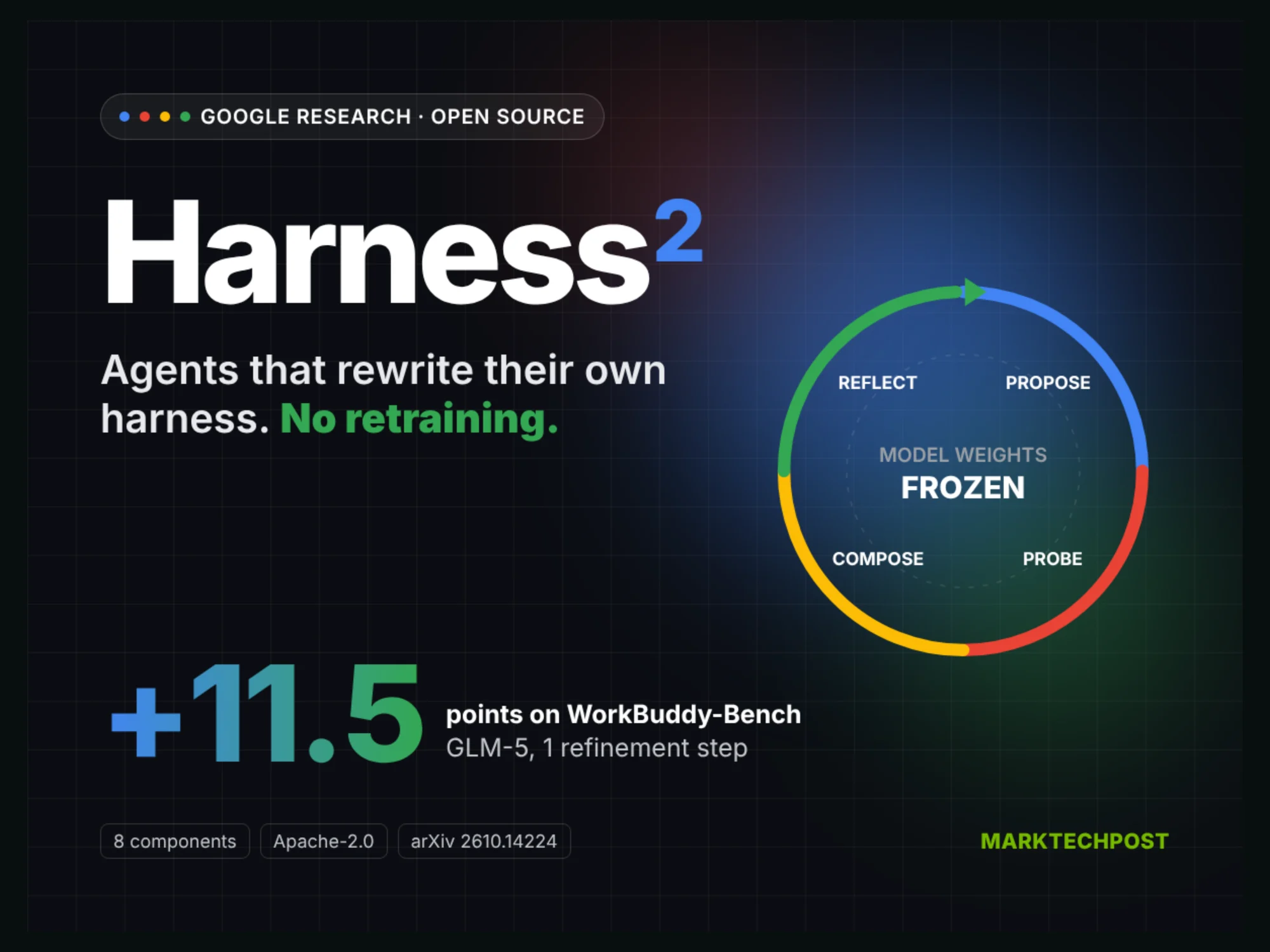
A Google Cloud AI Research közzétette a Harness² nevű keretrendszert. Az eszköz lényege, hogy nem az AI-modell súlyait módosítja, hanem a modell körüli rendszert, például a promptokat, eszközöket, memóriát és szabályzatokat módosítja automatikusan a feladatok futtatása során.
A keretrendszer 8 különálló összetevőt tud átírni a használat során, így tesztelési példák és címkézett adatok nélkül is képes javítani a teljesítményt. A tesztek során egyetlen finomítási lépéssel a GLM-5 modell teljesítményét 11,5 ponttal emelte meg a WorkBuddy-Bench mérésen.
A szoftver futtatásához Linux környezet, Python 3.12 vagy 3.13, valamint uv szükséges. A kód és a dokumentáció a Google Harness² GitHub-repozitóriumában érhető el.
Az eredeti szöveg (MarkTechPost)
Google Cloud AI Research has open-sourced Harness² . It is a recursive agent harnessing framework that improves the code and files around a frozen model. For developers, the pitch is simple. Your agent may get better without a better model.
TL;DR
Size: A framework, not a model. 0 parameters trained; 8 editable harness components. Version 0.1.0 .
Runs on: Linux with Python 3.12 or 3.13 and uv. Model runs call models through Vertex AI. GPU requirement: Not disclosed.
Performance: 1 refinement step improved all 4 model and harness setups on all 3 benchmarks.
Best: GLM-5 under OpenCode rose from 64.2 to 75.7 on WorkBuddy-Bench (+11.5 points).
Worst: GLM-5 under Codex gained only 1.2 points on JobBench (23.6 to 24.8).
What is Harness²?
Harness² is a plug-and-play framework from Google Research that refines an agent’s harness during deployment. A harness is everything around the model: prompts, tools, memory, skills and orchestration . Harnessing is the process of optimizing that system. Model weights never change.
The target setting is the open world. Tasks arrive unseen, and no verifier says whether an answer is right. The research team argues that most self-improvement methods assume labels or test cases. Harness² is built to work without them.
What are the 8 harness components?
Harness² exposes 8 editable components , each mounted as a file:
System prompt
Guardrails
Memory
Tool guidance
Subagents
Skills
Scripts
Plugins (middleware)
They cover context construction, the tool interface, delegation and behavior inside the tool loop. The layout extends the 7-file split from earlier Agentic Harness Engineering work by 1 component.
How does recursive agent harnessing work?
The framework runs two linked levels of recursion :
Task-level recursion uses a contrastive Propose, Probe, Compose step. First, the agent runs the task once with the base harness. An editor then proposes 2 candidates. The invariant candidate targets general agent failures such as planning or tool use. The domain candidate targets knowledge and procedures for the current domain. Both candidates run on the same task. The composer compares their trajectories against the reference and keeps only edits backed by observed behavior.
Harnessing-level recursion happens after each task. A reflector stores the adopted harness plus an EXPERIENCE.md file of lessons. This library guides future proposals. Each new task still starts from the base harness.
The budget k scales the search. Parallel mode probes k invariant and k domain candidates, then makes k compositions. Sequential mode chains k refinement steps.
Play</button><button class="btn" id="h2-step">Step →</button><button class="btn" id="h2-reset">↺ Reset</button><div class="prog"><i id="h2-prog"></i></div></div>
<div class="fn">At k=1: 1 reference + 2 probes + 1 final run per task. Parallel mode probes k invariant and k domain candidates; sequential mode chains k steps.</div>
</div>
<div class="pn" id="h2-p2">
<div class="cg" id="h2-cg"></div>
<div class="note" id="h2-cnote" style="border-left-color:#4285F4">Click a component to see its runtime role.</div>
<div class="lg"><span style="--c:#4285F4">Context construction</span><span style="--c:#EA4335">Tool interface</span><span style="--c:#FBBC04">Orchestration</span><span style="--c:#34A853">Middleware</span></div>
</div>
<div class="pn" id="h2-p3">
<div class="sel" id="h2-sel"></div>
<div class="bm" id="h2-bm"></div>
<div class="fn">Single improvement step (k=1). Means over 3 runs. LAB = Partial pass rate (%). Source: Harness<sup>2</sup> paper, Tables 1 and 2.</div>
</div>
<div class="pn" id="h2-p4">
<div class="sel" id="h2-sel2"></div>
<div class="bx rk" id="h2-rk"></div>
<div class="fn">Gemini 3.5 Flash executor. Bar axis starts at 50. Meta-Harness is optimized offline on separate training tasks. Scores as measured in the Harness<sup>2</sup> paper.</div>
</div>
<div class="ft"><span>Sources: arXiv 2610.14224 ·